Use the Hotel Trader Promo Creation Wizard to set up targeted discounts on existing room types and rate plans.
Whether you opt for the convenience of our expertly designed templates or prefer to tailor a promotion from the ground up, follow these 5 simple steps to success.
- On the Promotions page, initiate promo creation by clicking Create Promo.
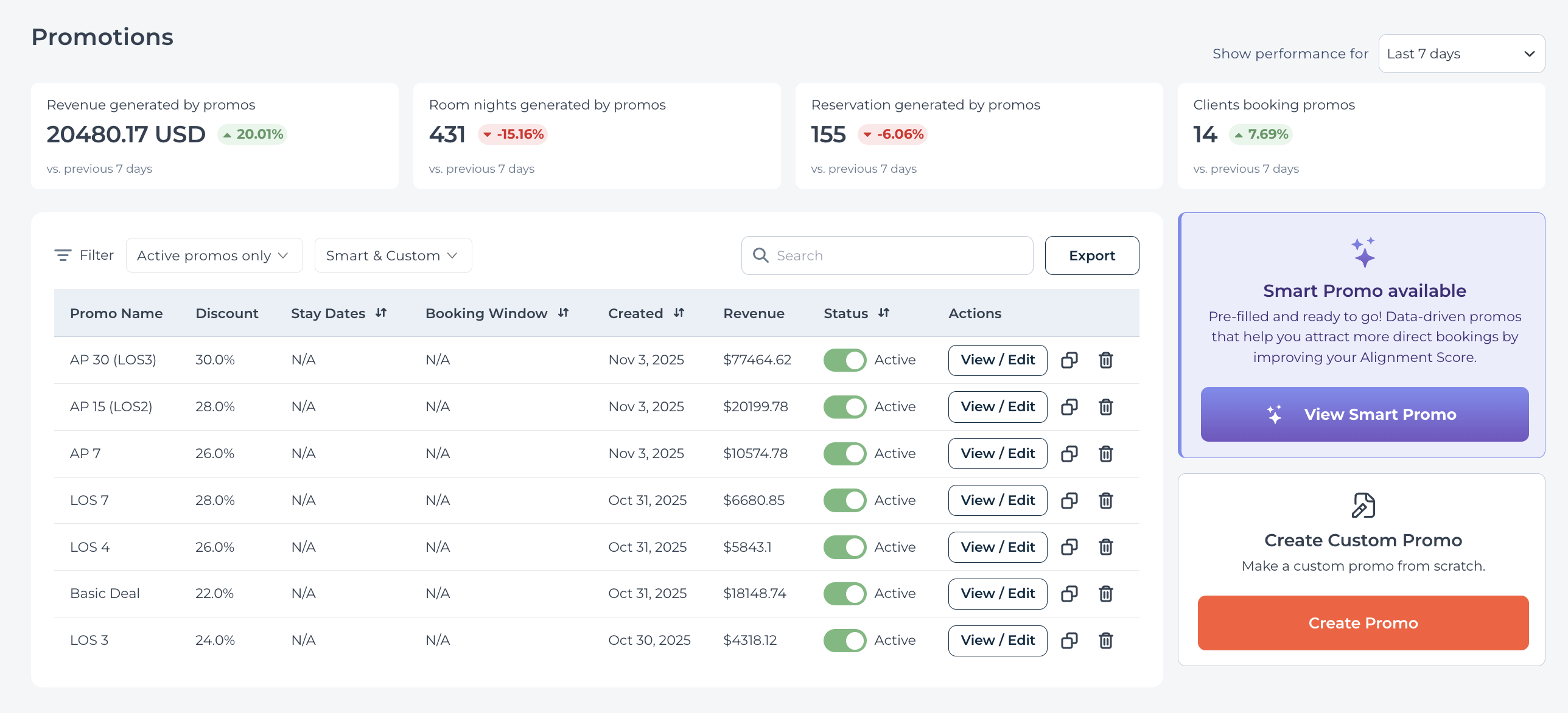
- Start a bespoke promotion with Create promo or use or pre-filled recommended promotion with View Smart Promo.
- In the Promo Creation Wizard, establish the core elements of your offer:
- Name your promotion for easy identification and reference.
- Establish Targeting conditions to reach your ideal guest demographics.
Enable or disable the target conditions, and select the date range or duration as applicable.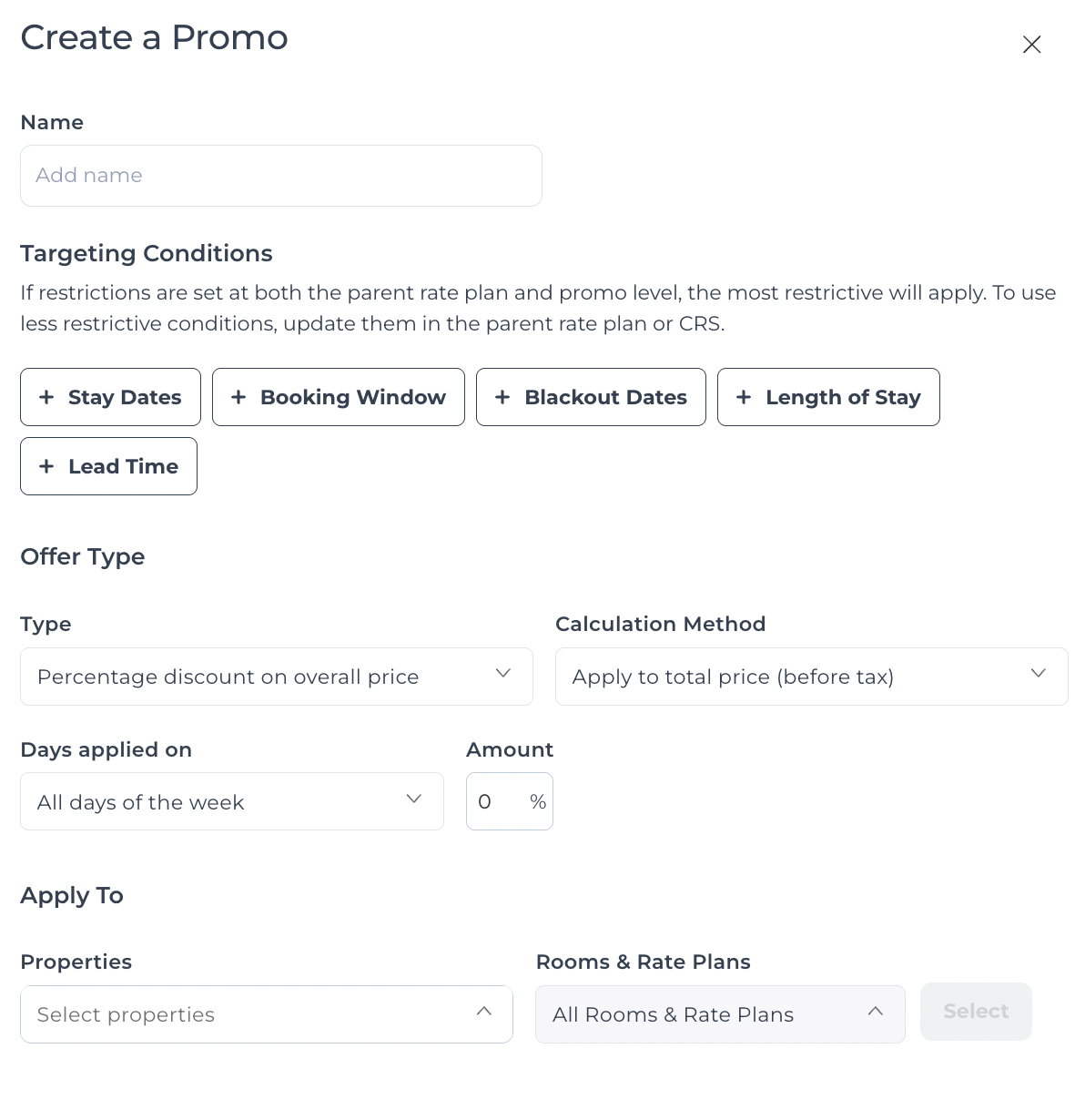
- Determine the Offer type that aligns with your goals.
- Assign the promotion to specific Hotels and Rooms and rateplans to maximize its impact.
Select or unselect the rooms and rateplan combinations as applicable for each hotel for the promotion you are creating.
- Review and refine your promotions on the Summary screen.
- Click Launch Promo to instantly activate your promotion.
By following these steps, you're not just creating a promotion; you're setting the stage for increased visibility, bookings, and revenue.